Start with a decision.
Can you authorize the test, understand what ran, inspect what it demonstrated, and use the result? Evaluate Red6 through one complete, scoped workflow.
- Can we control the scope and execution?
- What does the observed evidence establish?
- Can we act on the result and verify a fix?
In this guide
A useful security test leaves you with evidence your team can inspect and a decision it can act on. This guide explains what Red6 does, how to evaluate its operating boundaries, and what to ask for when you compare results, reports, and recurring testing workflows.
Start with an authorized scope and a concrete question: can this attack path work against us under these conditions? Follow the answer through the evidence, remediation handoff, and any supported retest.
1. Understanding Red6
1.1 What is Red6?
Red6 is Unit6’s agentic security validation and red-teaming platform. It connects external discovery and reconnaissance with investigation, authorized testing, and reporting so teams can assess relevant attack paths in their own environment.
During an evaluation, judge the actual workflow: what was in scope, which checks ran, what the result demonstrates, and what remains unknown. A discovered asset or a suggested attack path is a starting point for investigation; validation needs its own evidence.
1.2 How is it different from a vulnerability scanner?
A scanner can identify an affected version or a potential weakness. Red6 adds investigation and validation to determine what supported, authorized tests can establish about a path in your environment. Configuration, reachability, prerequisites, and business context can change the conclusion.
Compare the evidence for the same target. Ask to see the transition from a finding to a test objective, the activity performed, and the observed result. Evaluate specific checks and paths rather than treating all scanner findings as automatically exploitable.
1.3 Do we need Intel6 to use Red6?
No. Red6 can be evaluated independently using your approved targets and testing objectives. Intel6 can add adversary context to help your team decide what deserves validation.
When evaluating both, ask how an intelligence finding becomes a scoped test, who approves it, and which parts of the handoff are configured in your deployment. The combined operating model is Know. Prove. Act. The Intel6 evaluation guide covers the intelligence side.
2. Platform fit and customer examples
2.1 When is Red6 a good fit?
Red6 is worth evaluating when you need repeatable evidence about externally reachable exposure, want to investigate relevant attacker techniques, or need a more frequent testing workflow between larger assessments. A security team may also use it to focus remediation discussions on demonstrated results.
Start with the gap in your testing program. If your immediate requirement is deep internal-network coverage, an isolated environment, or a specialist application assessment, confirm the exact access model and testing depth with the team before designing a POC.
2.2 Does it replace a human penetration test or red team?
Red6 can support and extend a testing program with repeatable investigation and validation. Your human testers still bring engagement design, specialist judgment, and independent review. Evaluate how the two approaches work together for your environment.
If an assessment must satisfy a customer, auditor, insurer, or regulator, confirm the required method, reviewer, scope, and report before relying on it. A generated report alone does not establish a required manual assessment has been completed.
2.3 What do the customer examples demonstrate?
The pharmaceutical subsidiary story describes an intelligence-led test validating an exposure capable of remote code execution. The configuration story describes an affected software version where the tested exploit did not work because its required default settings were absent. A critical-sector customer example documents daily use of the automation center for penetration testing.
Together, these illustrate confirmed exposure, a bounded negative test result, and a recurring operating practice. The linked stories preserve those distinctions: they do not establish a completed pharmaceutical remediation, universal safety after a failed exploit, or a new compromise on each daily run.
Customer stories Anonymized, with documented outcomes
 Pharmaceuticals
Intelligence identified the target. Red6 validated the exposure.
RCE exposure validatedRead the case study Undisclosed
The version matched. The tested exploit did not.
Tested exploit did not succeedRead the case study Critical Sector
A critical-sector customer put Red6 to work daily.
Daily testing in operationRead the case study3. Scope and testing coverage
3.1 What should we put in scope?
Choose a small, representative set of systems you are authorized to test and a clear objective. Identify root domains, IP ranges, applications or APIs, environment boundaries, excluded services, and asset owners. Confirm any authenticated access or network reachability the objective requires.
Review discovered targets before active testing. Shared hosting, supplier systems, and third-party SaaS can appear connected to your environment without being yours to authorize. Keep those boundaries in the written scope.
3.2 How do discovery and reconnaissance work?
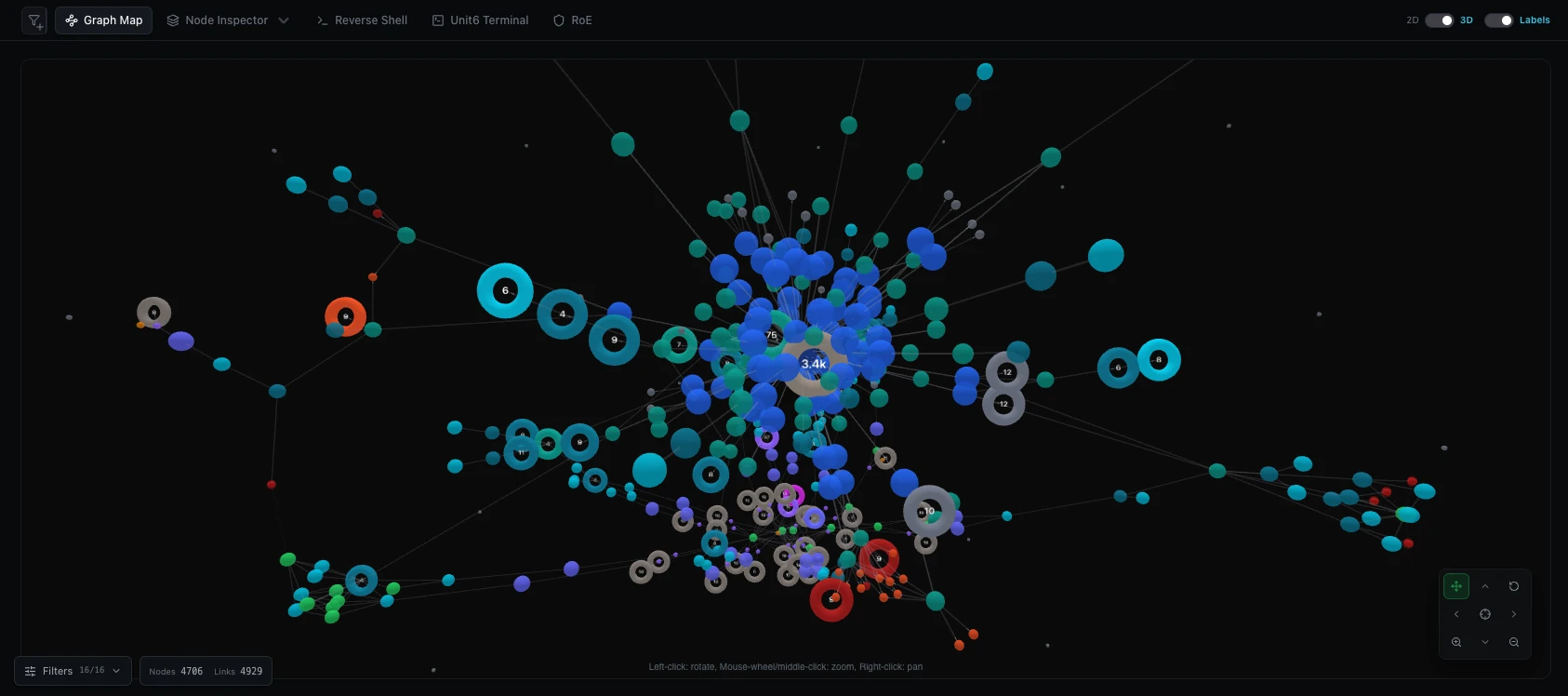
Red6’s recon workflow is organized into Discover, Enumerate, Recon, Analyze, Correlate, and Validate stages. Configured modules collect asset, service, application, vulnerability, and technique context. The graph helps your team explore relationships between the discovered entities and findings.
During the demo, inspect which modules are enabled and what each stage produces for the selected target. Module coverage varies with configuration. A connected graph helps explain the environment; the test record establishes what was demonstrated.
3.3 Can we test applications, APIs, and attacker techniques?
Discuss your specific application, API, or technique with the team and agree on a supported objective. Authentication, business logic, reachable endpoints, permitted actions, and the environment will affect the test. Ask for an example with comparable requirements.
Use the evaluation to establish depth for the use case you care about. A successful infrastructure check does not establish coverage across all application workflows, API authorization rules, social-engineering scenarios, or AI systems. Those requirements need their own scope and proof.
4. Autonomy, approvals, and operational control
4.1 What does agentic testing mean in practice?
Red6 uses agent reasoning and configurable workflows to investigate targets and perform supported testing steps. Interactive investigation and scheduled automation have different execution boundaries. Evaluate the mode you intend to operate.
Ask the demonstrator to show the objective, permitted targets, allowed checks, budget, approval points, and activity record for a run. The meaningful question is which decisions the system can make inside the configuration and which require an operator.
4.2 What controls should we verify before testing?
Walk through the rules of engagement, target restrictions, execution limits, approval gates, and stop controls with the people who own the environment. Confirm how exclusions and the test window are applied, who can authorize execution, and how a run is stopped.
For scheduled safe validation, review the configured allowlisted checks and required approval. Agree on escalation contacts and the handling of unexpected effects. Demonstrate the controls in the proposed evaluation mode before expanding scope or execution permissions.
4.3 Can it run in production or sensitive environments?
The evaluation must establish which checks are appropriate for the intended environment. Agree on permitted activity, timing, load, sensitive data handling, exclusions, and operational contacts. Start with a scope and mode your system owners can authorize.
Discuss production, staging, development, and isolated systems separately. More intrusive actions need separate consideration and permission. A lab demonstration does not establish suitability for production, and submitting a demo request does not authorize testing.
5. Evidence and interpreting results
5.1 What counts as a demonstrated result?
Inspect the target, test conditions, configured check, time, observed proof, and result together. Red6’s safe-validation workflow distinguishes demonstrated, not demonstrated, and blocked results. Ask what evidence and prerequisites support the status you are shown.
A demonstrated check supports a specific conclusion under the recorded conditions. It should be possible for a qualified reviewer to understand why the result was assigned. Keep discovery findings and theoretical paths distinguishable from demonstrated validation.
5.2 How should we interpret an unsuccessful test?
A path may not be demonstrated because a required condition is absent, a control prevents progress, access is limited, or the configured test cannot establish the outcome. Review the reason and any limitations rather than collapsing all results into pass or fail.
The configuration-dependent customer example is useful here: the exploit required default settings the customer had changed. The conclusion applies to the tested path and configuration. It does not establish the whole system is secure or remove the need to assess patching.
6. Reports, remediation, and integrations
6.1 What should we expect from a report?
Request a representative technical report and review it with the engineer who would receive the finding. Look for scope, test conditions, evidence, limitations, business relevance, and enough detail to understand the proposed remediation. Confirm which report formats are included in your package.
Also review the leadership view. It should explain what was tested, what was demonstrated, and what decision is needed without turning a theoretical path into a confirmed compromise. If you need attestation or audit evidence, agree on the required format and acceptance criteria with the recipient.
6.2 Can we verify remediation?
Red6 supports scoped retests built from supported demonstrated safe-validation steps. Evaluate one such workflow: record the original proof, have the responsible team make an approved change, and run the supported retest against the agreed scope.
Review whether the result is verified closed, still open, inconclusive, or failed. An unsuccessful retest is not automatically proof of closure. Ask how the workflow preserves the original evidence and makes the final status understandable to the owner.
6.3 How does Red6 connect to our workflow?
Evaluate reports and monitoring alerts, including the supported Slack or generic webhook path relevant to your setup. Follow an actual evaluation output into the receiving workflow and confirm its content, permissions, and owner.
The Unit6 integrations catalog is a useful starting point for discussing your broader stack, especially with Intel6. Confirm each Red6 connection separately, including whether it supports notification, ticket creation, or another action. Agree on the handoff your team will use.
7. Evaluation plan, cadence, and pricing
7.1 What should a Red6 proof of concept prove?
Choose one reachable, authorized target and one meaningful question. Agree on prerequisites, scope, permitted checks, evidence requirements, review owners, and the end date. Include the engineer who will assess the output alongside the security evaluator.
Test the operating model as well as the finding: approve a run, inspect the activity and result, review a report, and verify the next handoff. Where supported, include a remediation retest. Use the same scope and evidence standard when comparing alternatives.
| Evaluation check | Evidence to collect | Decision it supports |
|---|---|---|
| Scope control | Reviewed targets, exclusions, permissions, and rules of engagement | Can we authorize this operating model? |
| Execution | Recorded configured checks, activity, and approval boundaries | Do we understand what ran? |
| Result quality | Target-specific proof, prerequisites, status, and limitations | What did the test establish? |
| Remediation value | Technical review by the team responsible for the fix | Is the output actionable? |
| Retest quality | Supported retest with a justified closure or unresolved status | Can we verify the change? |
| Operational effort | Reviewer time, run cadence, handoff effort, and usage cost | Can we sustain this workflow? |
7.2 Can testing run on a schedule?
Red6 supports configured scheduled, event-driven, and manual workflows. Evaluate the cadence your team needs alongside the selected workflow’s checks, permissions, budget, and review process. Recurring execution should have an accountable owner.
The critical-sector customer story documents daily testing through the automation center. Use it as an example of operating cadence. Decide your own frequency based on environment changes, permitted activity, and the work needed to review and act on results.
7.3 How is Red6 priced, and how do we assess ROI?
The pricing page lets you explore Red6 deployment and engagement options, coverage choices, and indicative planning estimates. Confirm the actual package, usage economics, evaluation terms, and ongoing costs with the team.
Measure value against your testing process: time to review a credible finding, frequency of useful validation, engineering effort to act, and evidence of successful remediation verification. Count the time needed to run and govern the system as well as any time it saves. Set targets from your own baseline.
8. Enterprise review and next steps
8.1 What should security and procurement review?
Request current documentation for the proposed deployment and discuss data residency, tenant separation, access controls, retention, activity records, model or service dependencies, evidence handling, and deletion. Clarify what is sent to connected systems and who can access test output.
For restricted networks or special hosting requirements, confirm the supported architecture directly. Any certification, contractual assurance, or audit requirement should be checked against current evidence and your organization’s acceptance criteria.
8.2 What should we bring to a Red6 demo?
Bring the security question you want to answer, the type of system involved, and the people who would authorize testing and review the results. A live demo can use approved demonstration data while you agree on any later customer-specific scope.
Ask to see one complete workflow: define the target and objective, review execution boundaries, inspect a result, read its report, and discuss the next action or supported retest. Book a Red6 demo to work through the sequence with the team.