 Healthcare
Intel6
The access path closed before ransomware arrived.
A healthcare provider acted on exposed credentials, an MFA secret, and evidence of tested access before ransomware deployment or patient data exposure.
Read the case studyIntel6 collects inside attacker environments to show which of your accounts and systems they’re pursuing. Red6 tests whether an exposure can be exploited. Know what to fix first.

A report can tell you an actor targets your sector. Your team still needs to know which account they’re pursuing, which subsidiary is in their sights, and whether the exposure gives them a way in.
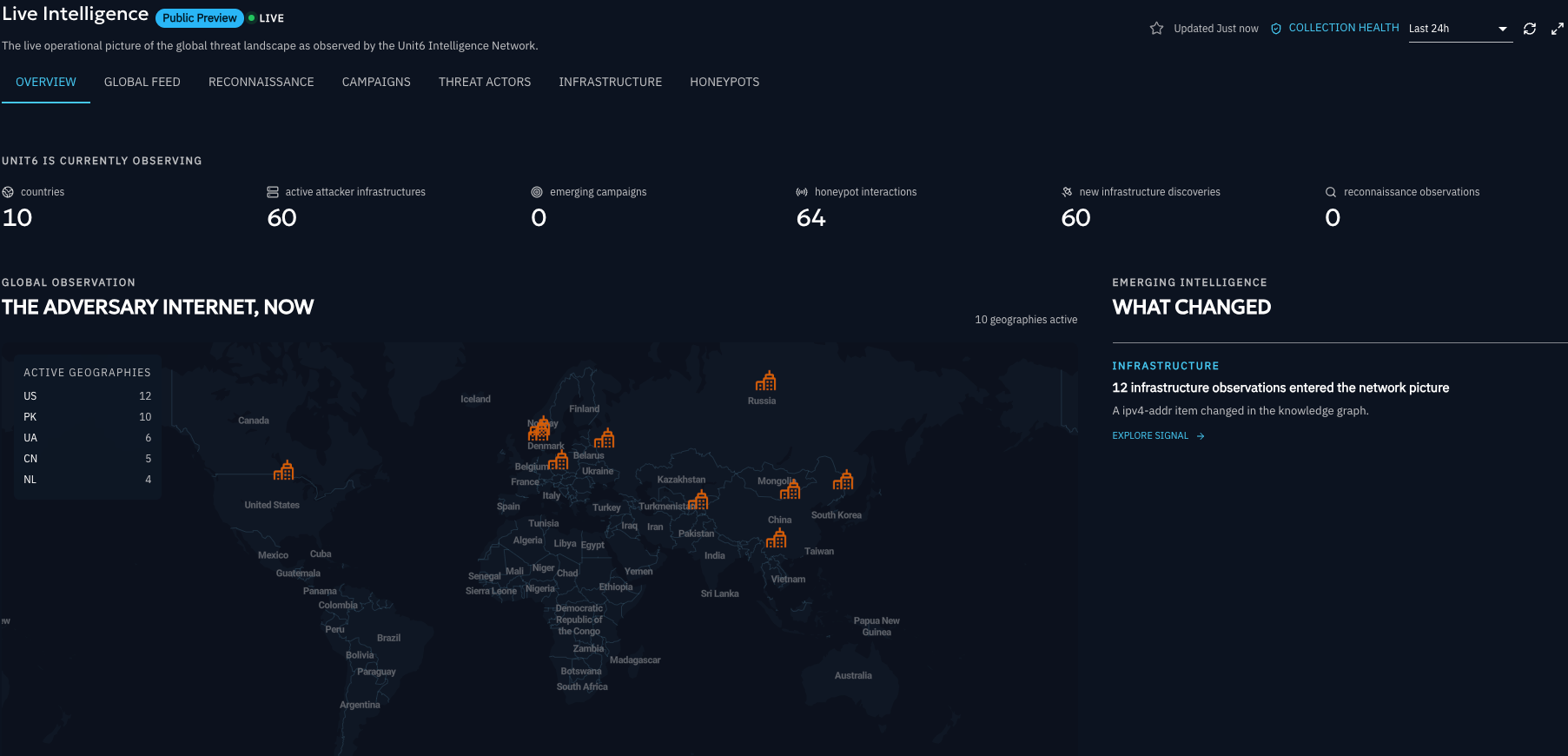
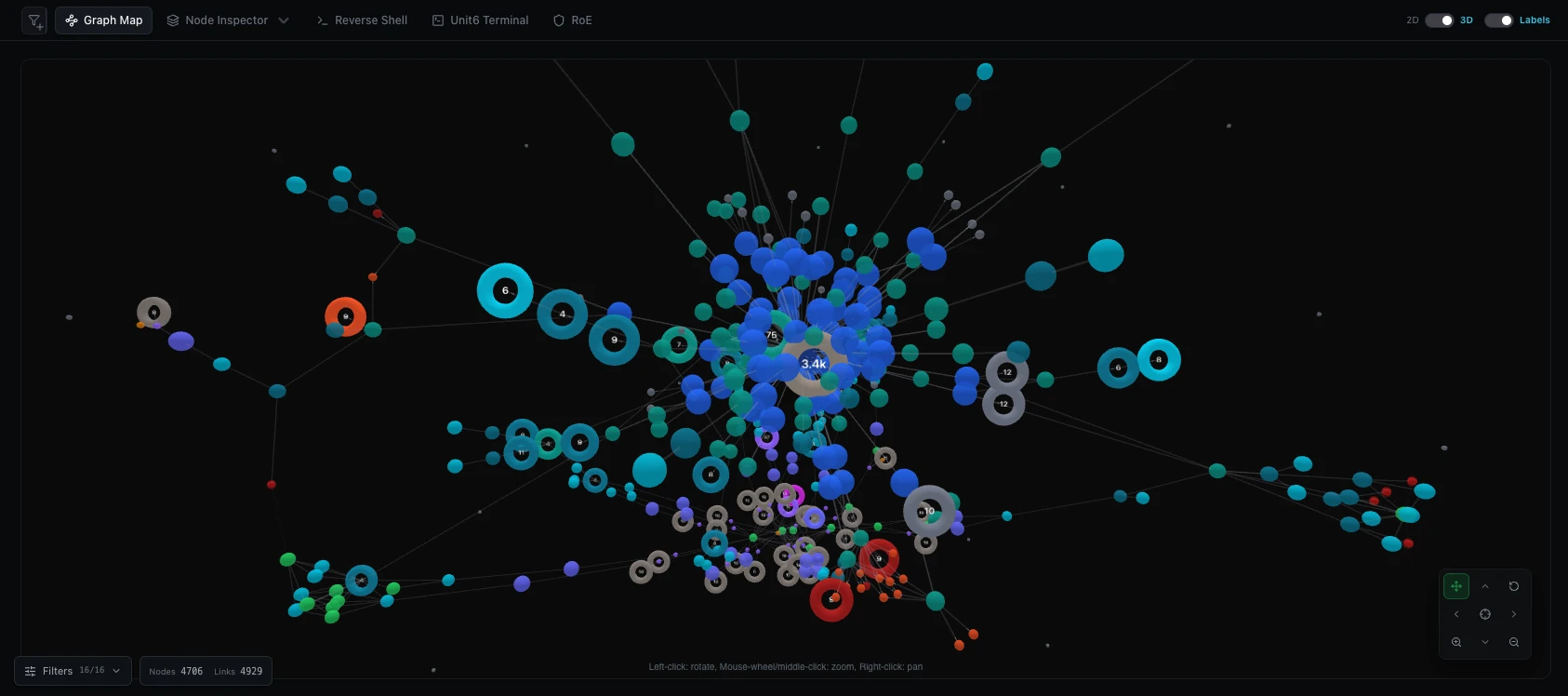
Unit6 starts with the attacker’s activity and follows it to your business. Intel6 reveals the preparation. Red6 tests the path. You get a reason to act, and a reason to put the work first.
Intelligence noise creates analyst work: stale credentials to check, duplicate indicators to review, and broad reports to connect to your business. Intel6 ties observed attacker activity to the accounts and systems you protect, so your team can see what deserves attention.
| What changes for your team | Traditional threat intelligence | Intel6Know what deserves attention |
|---|---|---|
| The analyst’s workload | Old credentials, repeated indicators, and broad alerts leave a queue of findings to sort through. | A finding with a reason to act.Start with the observed activity and the account, system, or business it concerns. |
| Where visibility starts | Reports, indicators, and monitoring describe threats across industries and organizations. | See the preparation from their side.Unit6’s own Watcher collection inside adversary environments brings access, infrastructure, and targeting into view. |
| What gets priority | A critical score or an exposed account still leaves a question: which one is an attacker pursuing here? | Follow the attacker’s interest.Connect the activity to an account, service, or subsidiary, and use the evidence to decide what moves up the queue. |
| A leaked-credential example | A credential record tells you an account has been exposed. | See what the actor has done with it.In the healthcare case, Unit6 found valid credentials, the matching MFA secret, and evidence the actor had already tested portal access. |
See what changed for a healthcare team facing a tested access path.
Access can be bought and sold before anything appears in your logs. Unit6 identified a nation-state-linked broker advertising access to an aerospace organization’s messaging platform. The team secured at-risk accounts before the operation progressed to direct compromise.
Read the aerospace case
Access was being offered for sale. The team acted before direct compromise.
A healthcare provider had more than a leaked password to address. Unit6 found valid credentials, the matching MFA secret, and evidence the actor had tested portal access. The team disabled the account and revoked the secret before ransomware deployment.
See how the team closed the pathA valid account. The MFA secret. A tested way in.
An IT management provider was losing analyst time to harmless lookalike domains. Unit6 combined visual analysis with CDN honeytokens to identify cloned login pages, filter false positives, and automate takedown submissions. The team could focus on confirmed impersonation.
Read the brand-protection case
95% fewer false positives.
Give the team a finding worth acting on.
A vulnerability finding raises a question. Red6 tests it against your environment and shows what happened. Repeat the checks between assessments, recheck a fix, and use Intel6 when you want attacker activity to help decide what to test first.
| What changes for your team | Periodic pentesting | Red6Prove what the exposure allows |
|---|---|---|
| Between assessments | The environment keeps changing while the next engagement waits on the calendar. | Keep checking as things change.Schedule repeatable validation and review new findings between engagements. |
| What needs fixing first | The assessment produces a set of findings for the team to triage. | Test whether the exposure works here.Use the test conditions and observed result to prioritize on exploitability. |
| The handoff to the owner | A report describes the findings and remediation guidance from the engagement. | Keep the evidence with the finding.Show the tested path, what happened, and the conditions behind the result. |
| After remediation | Coordinate a follow-up test to verify the change. | Check the fix with another run.Retest a demonstrated finding and keep the new result with the original evidence. |
See how a critical-sector customer made offensive testing a daily practice.
Intel6 identified an actor targeting an unpatched sign-on system at a pharmaceutical subsidiary. Red6 validated an exposure capable of remote code execution. The security team had a concrete system to prioritize and a technical result to act on.
See the pharmaceutical case
Attacker targeting became a validated RCE exposure.
A customer ran an affected software version but had changed the default settings the exploit required. Testing the path against the customer's configuration showed the exploit did not work. The team could distinguish an affected version from a demonstrated attack path.
Read the configuration case
The version matched. The tested exploit failed.
A critical-sector customer put Red6 to work daily through its automation center. Make repeatable checks part of the routine, then return to a demonstrated finding after your team applies a fix. Keep the next decision connected to a fresh test result.
See the daily-testing story
Offensive testing became a daily practice.
From a possible exposure to a result you can explain.
Intel6 helps you decide where to look.
Red6 helps you prove what the path enables.
Follow the observation, the response, and the outcome in Unit6’s customer stories.
Explore all case studiesHealthcareA healthcare provider acted on exposed credentials, an MFA secret, and evidence of tested access before ransomware deployment or patient data exposure.
Read the case studyPharmaceuticalsIntelligence identified an actor targeting a pharmaceutical subsidiary. Red6 validated an exposure capable of remote code execution.
Read the case studyConnect the security finding to the decision your organization needs to make.
Follow the evidence, and see why an observation is relevant.
Review what was tested, what was observed, and what the next check should be.
Intel6 connects intelligence to your stack through APIs, webhooks, and integration workflows. Red6 reports and supported notification paths put validation in the hands of the team responsible for the response.
Explore integrationsBring the finding to the team responsible for the response.
A focused walkthrough of the product and the decision you want it to support.
The question is what your team can decide from it. If the daily work is sorting through old credentials, repeated indicators, and broad threat reports, ask to see a finding connected to an account or system you own. Intel6 adds Unit6’s own collection inside adversary environments and connects the activity to your organization. In our healthcare case, the finding included valid credentials, the matching MFA secret, and evidence the actor had tested access. The team had a specific path to close.
Look at both the test and the intelligence behind the objective. Red6 tests exposures in your environment and records what the test established. With Intel6, Unit6’s collection can also show which account, service, or subsidiary an attacker is pursuing, helping your team choose where to test. Our pharmaceutical case follows the progression from actor targeting to an RCE-capable exposure. Red6 also works independently when you already know what you want to investigate.
No. Start with Intel6 when the gap is knowing which attacker activity matters to your business. Start with Red6 when you need to test whether an exposure can be exploited. Together, they connect what an actor is pursuing with what works in your environment.
Intel6 brings findings into your existing stack through APIs, webhooks, and integrations. Red6 reports and notifications help the system owner review the result and follow up. We’ll walk through the connections you need in the demo, alongside how your team sets scope and owns the response.
Red6 makes repeatable validation part of day-to-day security work. Human testers still bring specialist judgment, creative investigation, and independent assessment. Use Red6 between those engagements to test exposures and revisit demonstrated findings after remediation.
Bring a question your current workflow leaves unanswered. We’ll follow it through Intel6, Red6, or both: what was observed, how it connects to the business, what the test established, and what your team can do next.
Bring a finding from your current workflow. See what Unit6 adds to the decision.
See Unit6 in action Explore pricing